## BEST in IoT
[Miroslav "mirek" Biňas](https://bletvaska.github.io)
/ [**BEST Summer**](https://mpc-edu.sk/sk)
[](https://bletvaska.github.io)
> Internet of Things (IoT) means any smart device with ability to communicate via Internet.
> -- _by [iotbuzzer.com](https://iotbuzzer.com/what-is-iot-top-10-definitions-overview/)_
> The Internet of Things (IoT) is a system of interrelated computing devices, mechanical and digital machines, objects, animals or people that are provided with unique identifiers and the abil
ity to transfer data over a network without requiring human-to-human or human-to-computer interaction.
> -- _by [iotagenda](https://internetofthingsagenda.techtarget.com/definition/Internet-of-Things-IoT)_
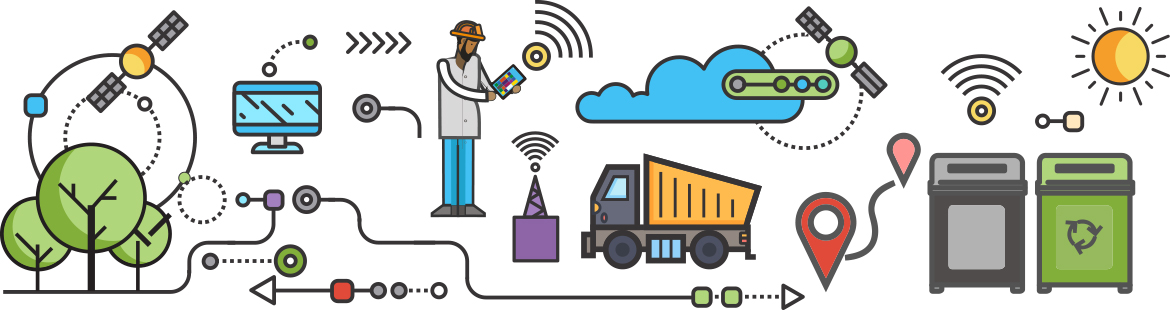
* **data producers** (sensors)
* **data consumers** (actuators)
## IoT is also about...
* hardware
* low power
* communication
* data (data science, (time series) db)
* updates (ota)
* security
## IoT is abou Additional Value
[](https://nodered.org)
## What is Node-RED I.?
> [Node-RED](https://nodered.org) is a **visual tool** for **wiring** the Internet of Things. (2016)
> **Flow-based programming** for the Internet of Things. (2017)
> **Low-code programming** for **event-driven applications**. (2019)
## What is Node-RED II.?
> [Node-RED](https://nodered.org) is a **programming tool** for **wiring** together hardware devices, APIs and online services in new and interesting ways. (2022)
> The easiest way to **collect**, **transform** and **visualize** real-time data. ([homepage](https://nodered.org))
## And besides that...
* open source (for free)
* platform independent ([nodejs](https://nodejs.org/))
* runs in browser
### "Traditional" Requirements for IoT Solution Development
* Low-level programming skills
* Hardware design expertise
* Understanding of electronics
* Knowledge of complex APIs for external service integration
* Experience with Time Series Databases (TSDBs)
* Knowledge of Data Analytics (DA) and Machine Learning (ML) for extracting insights from stored data
[Node-RED](https://nodered.org) handles the technical aspects of your solution, allowing you to focus on your workflow.
## Running Node-RED
1. start [Node-RED Docker Container](https://hub.docker.com/r/nodered/node-red)
```bash
$ docker container run --rm -it \
--publish 1880:1880 \
--volume node_red_data:/data \
--name nodered \
nodered/node-red:latest-minimal
```
2. open browser at [`http://localhost:1880`](http://localhost:1880)
## What is FBP?
> **Flow-Based Programming** is a programming paradigm that defines applications as **networks** of "black box" processes, which exchange data across predefined **connections** by **message passing**, where the connections are specified **externally** to the processes. ([Wikipedia](https://en.wikipedia.org/wiki/Flow-based_programming))
## The Message
```json
{
"_msgid": "89cbb063.7f7a7",
"payload": "Hello world!",
"topic": "Greetings!"
}
```
## Meteo Servis
([inspiration](https://meteo.skola.sk/meteostanica/?id=22))
[](https://flows.nodered.org/node/node-red-contrib-web-worldmap)
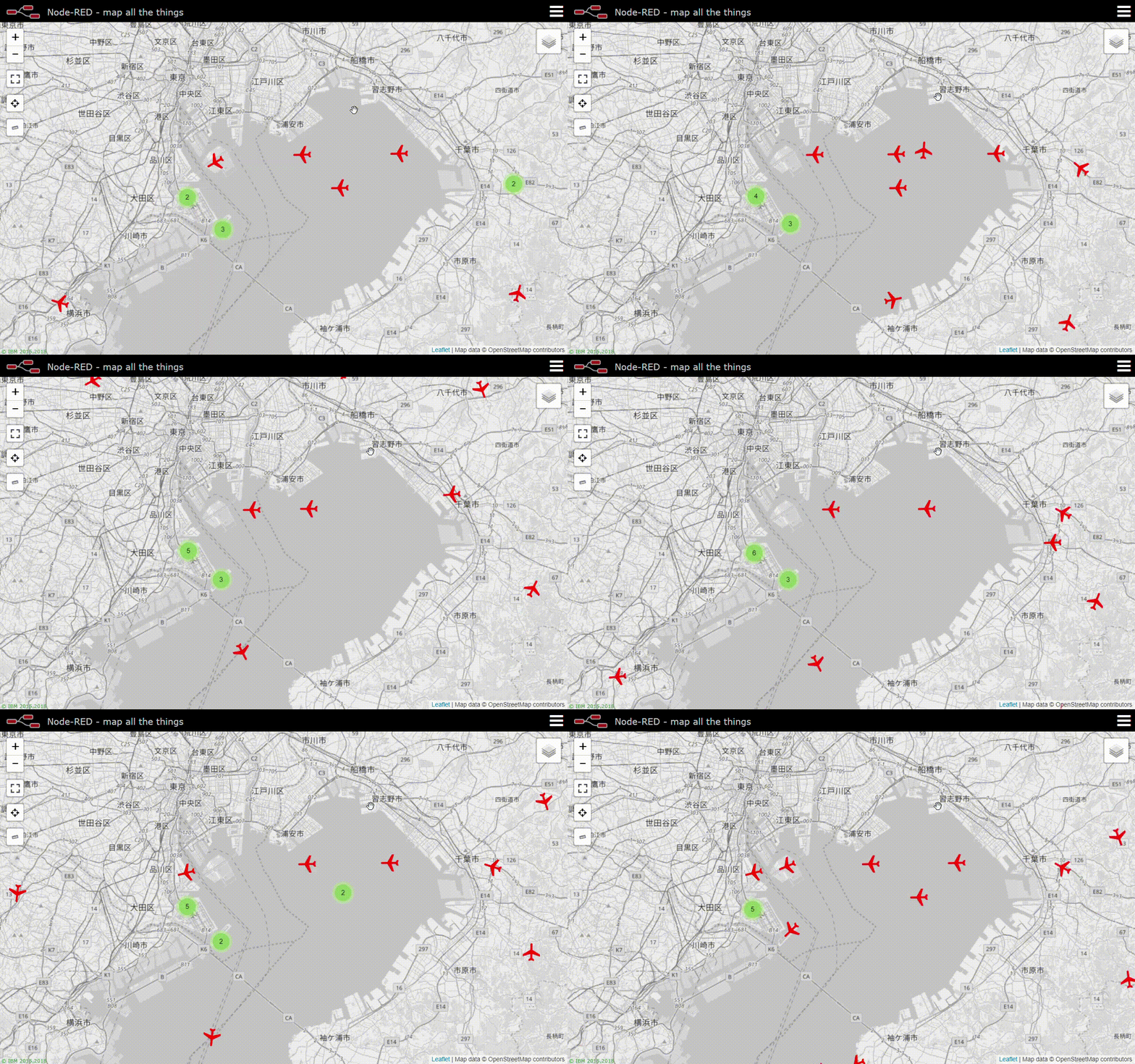
[node-red-contrib-web-worldmap](https://flows.nodered.org/node/node-red-contrib-web-worldmap)
[](https://openweathermap.org)
* node: [node-red-node-openweathermap](https://flows.nodered.org/node/node-red-node-openweathermap)
* API key: `b85449dbf5d71ab387d93367c7f1b790`
* [current weather data in a machine-readable format](http://api.openweathermap.org/data/2.5/weather?units=metric&q=dolny%20kubin,sk&appid=b85449dbf5d71ab387d93367c7f1b790)
* HTTP protocol (REST API)
* JSON format
## JSON
(JavaScript Obect Notation)
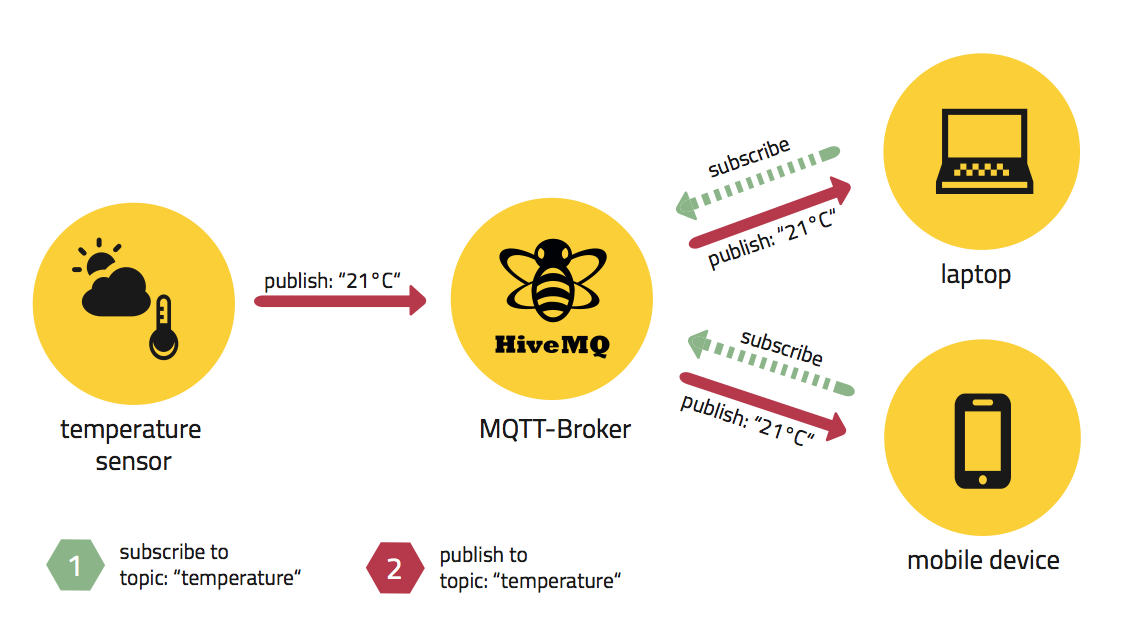
Notes:
* https://www.eclipse.org/community/eclipse_newsletter/2014/october/article2.php
### What else can Node-RED do?
* Build custom web applications
* Create custom REST APIs
* Develop custom dashboards
* Integrate with database systems
* Connect to external services (e.g., Twitter and many others)
* Develop custom nodes (natively in JavaScript or in Python)
* and much more
[](https://iotdunia.com/what-is-an-iot-gateway-architecture-examples/rbsnp/)
[](https://psiborg.in/iot-gateway/)
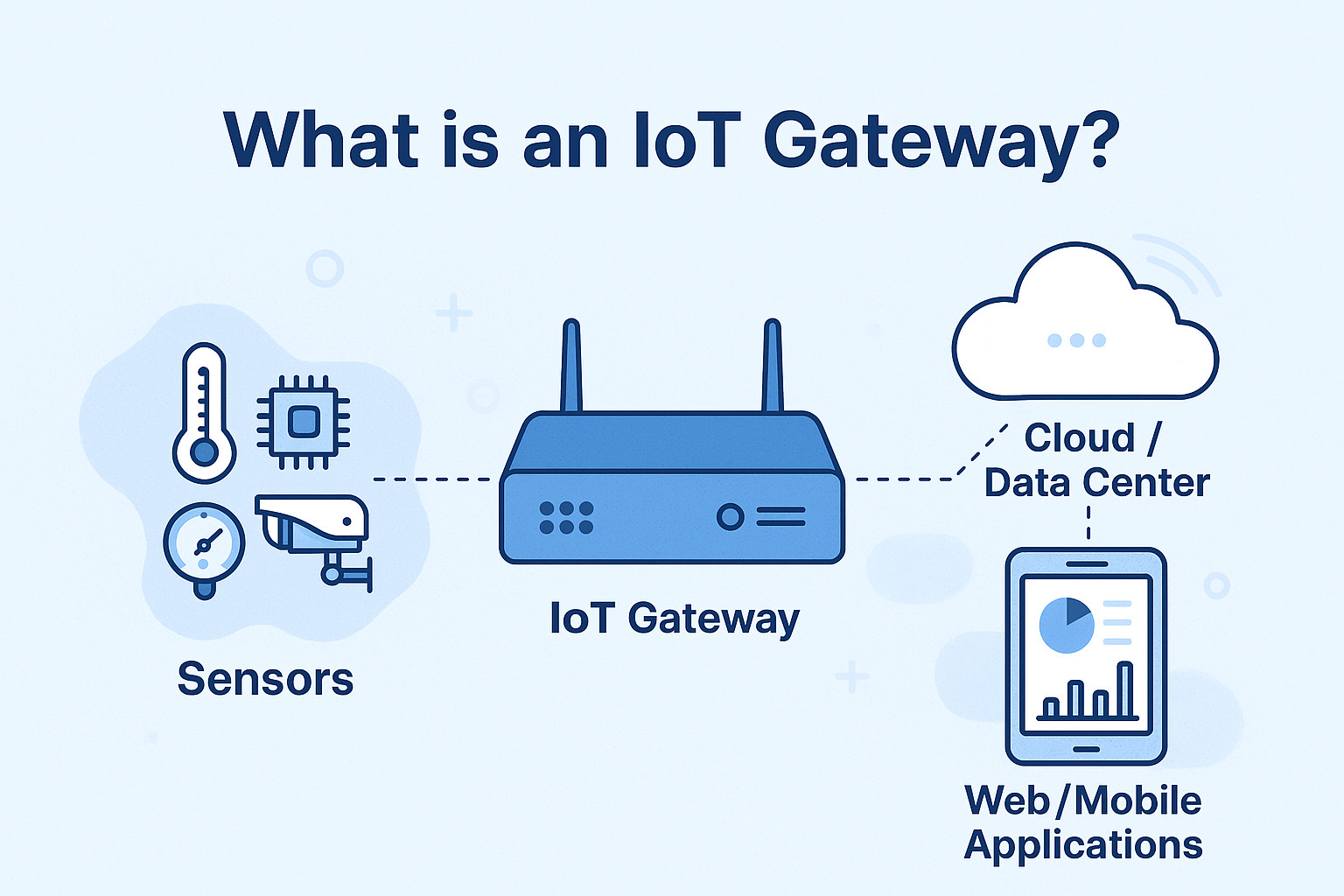
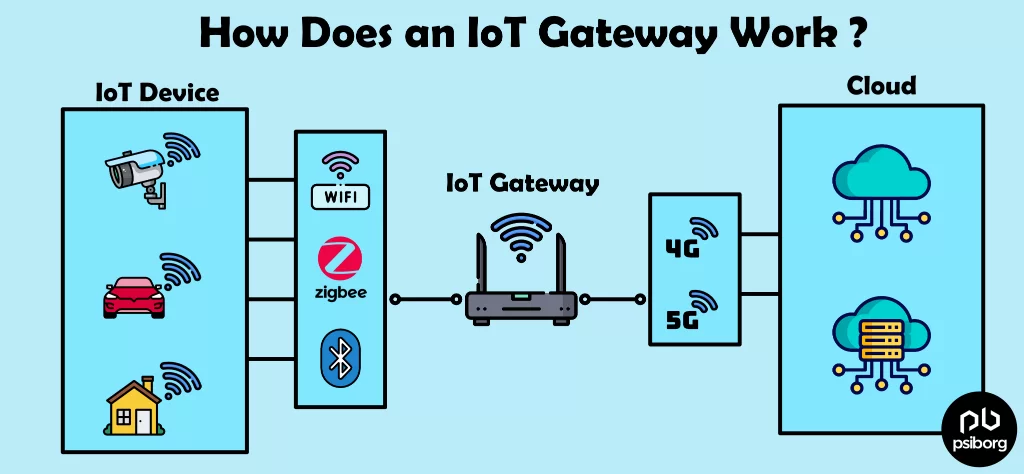
> An **IoT Gateway** enables communication between different IoT system layers and bridges multiple communication protocols.
[](https://projects.raspberrypi.org/en/projects/raspberry-pi-getting-started)
[](https://lastminuteengineers.com/esp32-ble-tutorial/)
## What Is BLE?
A wireless standard designed for devices with limited power budgets and short data transfers.
### Main Features of BLE
* **Low Power** - A device can run for months to years on a single coin-cell battery.
* **Advertising** - Devices broadcast short data packets without needing to pair.
* **Short Range** - Typically 10-100 m, well suited for sensors in a home or building.
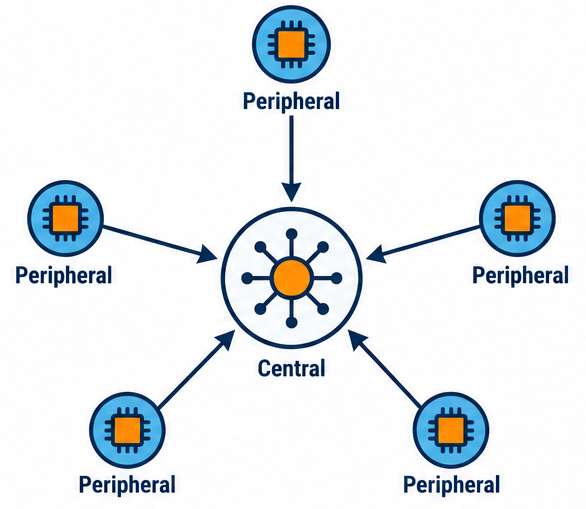
* **Star Topology** - A central device (gateway) communicates with multiple peripherals.
### Communication Topologies
* **Point-to-Point**
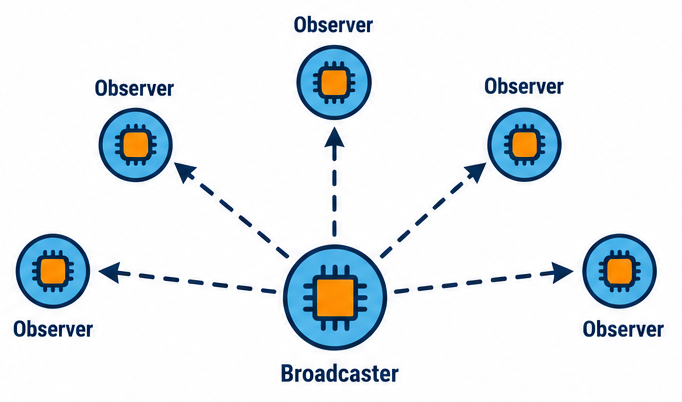
* **Broadcast**
* **Mesh**
* **Star topology**
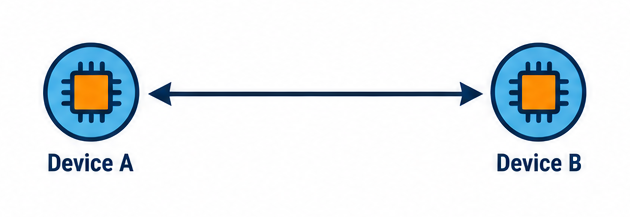
### Point-to-Point
[](https://medium.com/techtrends-digest/deep-dive-understanding-bluetooth-mesh-technology-5331d04d8f9c)
notes:
- Klasické spojenie jedno zariadenie <-> jedno zariadenie (Central <-> Peripheral).
- Používa sa napr. pri fitness náramkoch, senzoroch spárovaných s telefónom.
### Star
[](https://medium.com/techtrends-digest/deep-dive-understanding-bluetooth-mesh-technology-5331d04d8f9c)
notes:
- Jeden Central sa môže pripojiť k viacerým Peripheralom súčasne (v štandarde BLE 4.x zvyčajne limitované number spojení, v 5.x rozšírené).
- Toto je bežné pri Raspberry Pi Pico/ESP32 gatewayoch, ktoré zbierajú dáta z viacerých senzorov.
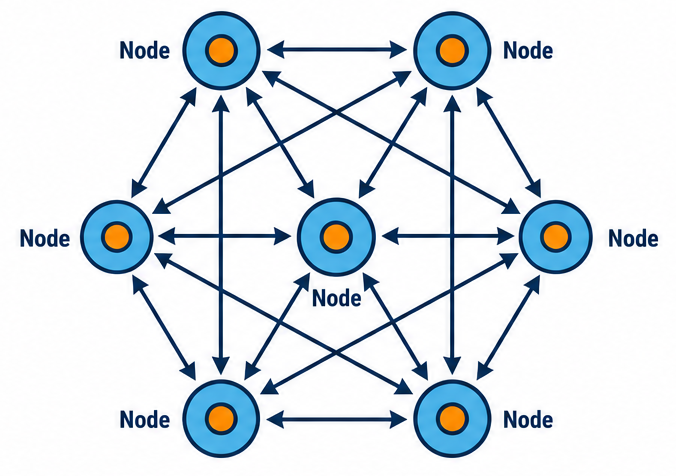
### Mesh
[](https://medium.com/techtrends-digest/deep-dive-understanding-bluetooth-mesh-technology-5331d04d8f9c)
notes:
- Zavedená v Bluetooth Mesh špecifikácii (postavená nad BLE advertising, nie nad GATT spojeniami).
- Funguje na princípe "managed flood" – správy sa šíria cez viacero uzlov (relay nodes), takže dosah siete je oveľa väčší ako dosah jedného zariadenia.
- Vhodné pre rozsiahlejšie inštalácie (napr. osvetlenie v budove, veľký počet senzorov).
### Broadcast
[](https://medium.com/techtrends-digest/deep-dive-understanding-bluetooth-mesh-technology-5331d04d8f9c)
notes:
- Zariadenie (Broadcaster) vysiela advertising pakety bez potreby spojenia, viacero prijímačov (Observers) ich môže čítať súčasne.
- Typické pre BLE beacony (iBeacon, Eddystone)
- ideálne, keď je potrebne jednosmerne posielať dáta viacerým prijímačom naraz.
### BLE Device Types
* **Peripheral** - a small, low-power device that broadcasts advertising packets and waits to be connected to (e.g. a sensor).
* **Central** - a device that scans for peripherals and initiates connections (a phone, PC).
* **Broadcaster** - only broadcasts packets, with no connection possible (e.g. beacons like iBeacon).
* **Observer** - only listens to packets, never connects (e.g. Theengs Gateway)
[](https://github.com/theengs/gateway)
## Structure of Topic
`gw/:type/:id/:op`
* `:type` - type of device
* `:id` - unique identifier of device
* `:op` - type of operation (`/data`, `/cmd`, `/status`, `/set`)
```json
{
"dt": "2026-07-06T20:09:35Z",
"metrics": [
{
"dt": "2026-07-06T20:00:00Z",
"name": "temperature",
"value": 23.4,
"units": "metric"
},
{
"dt": "2026-07-06T20:00:00Z",
"name": "humidity",
"value": 70,
"units": "%"
}
]
}
```
### Node-RED Tips
* JSONata expression
* to set current time in ISO 8601
```
$(now)
```
* to get temperature from metrics
```
$$.payload.metrics[name="temperature"].value
```
[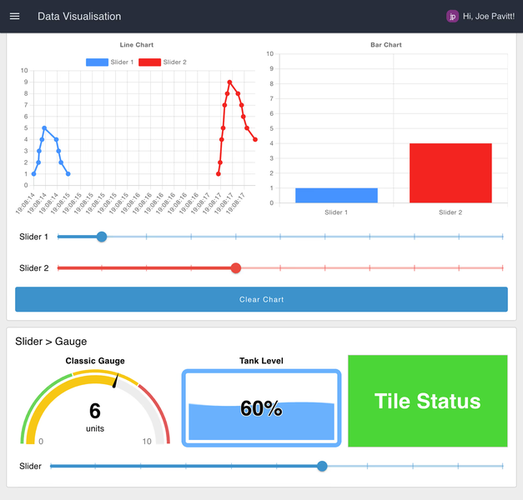](https://flows.nodered.org/node/@flowfuse/node-red-dashboard)
[`@flowfuse/node-red-dashboard`](https://flows.nodered.org/node/@flowfuse/node-red-dashboard)
[](https://koti.sk/clanky/navody/co-je-zigbee-inteligentna-domacnost/)
### What Is Zigbee?
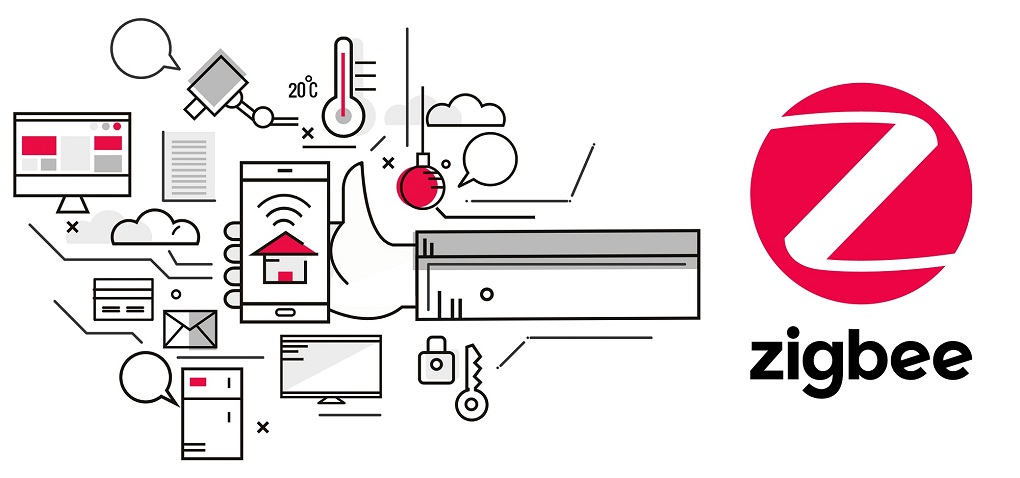
[Zigbee](https://csa-iot.org/all-solutions/zigbee/) is a low-power, wireless communication technology used for connecting devices.
### Main Zigbee Features
* wireless standard IEEE 802.15.4
* low data rate - 250 kbps
* low power - long battery life
* scalability - easy to extend
* reliability - mesh networking
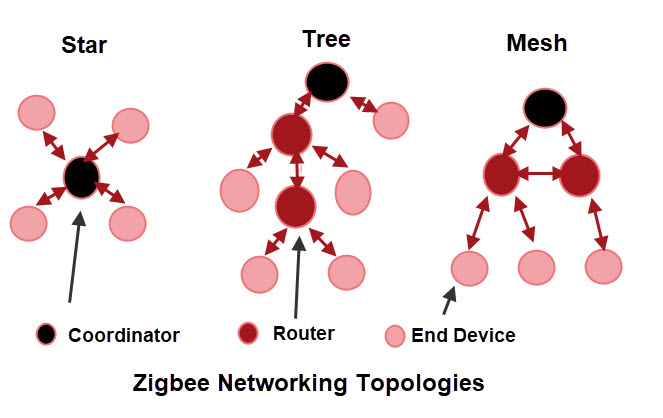
### Device Roles in Zigbee Network
* **Coordinator** - 1 per network, controls network
* **Router** - relays messages, extends range
* **End Device** - sensor / actuator, saves power
notes:
* 1. Zigbee Coordinator (Koordinátor)
* Je jediný v celej Zigbee sieti.
* Vytvára a spravuje sieť.
* Prideľuje adresy novým zariadeniam.
* Uchováva informácie o sieti a bezpečnostné kľúče.
* Môže zároveň vykonávať aj aplikačné funkcie (napr. riadiť inteligentnú domácnosť).
* Príklady:
* Zigbee USB dongle (Sonoff Zigbee Dongle, ConBee II)
* Zigbee hub (Philips Hue Bridge, SmartThings Hub)
* 2. Zigbee Router
* Rozširuje dosah siete.
* Preposiela správy medzi zariadeniami (mesh networking).
* Umožňuje pripájanie ďalších zariadení.
* Väčšinou je trvalo napájaný zo siete (230 V alebo USB).
* Príklady:
* Inteligentné zásuvky
* Nástenné vypínače
* Žiarovky (väčšina Zigbee žiaroviek funguje ako router)
* Repeatery
* 3. Zigbee End Device (Koncové zariadenie)
* Neprenáša komunikáciu ďalej.
* Komunikuje iba so svojím rodičom (koordinátorom alebo routerom).
* Môže prechádzať do režimu spánku, čím šetrí energiu.
* Je ideálny pre batériovo napájané zariadenia.
* Príklady:
* Teplotné senzory
* Pohybové senzory
* Kontakty na dvere a okná
* Tlačidlá
* Senzory vlhkosti
* Detektory úniku vody
[](https://stevessmarthomeguide.com/zigbee-basics/)
[](https://www.zigbee2mqtt.io/)
### [Zigbee2MQTT](https://www.zigbee2mqtt.io/)
## Added Value
notes:
- doteraz sme sa rozpravali len o technickych veciach
- ako pripojit senzor a ako sa s nim rozpravat
- ako kradnut data z existujucich sluzieb
- ake protokoly a technologie na to pouzivat
- to, co je dolezite, je vsak pridana hodnota celeho riesenia
## `23.7`
notes:
- toto je len cislo, len hodnota
- v akych jednotkach?
- je to vela alebo malo?
- je to dobre alebo zle?
- nevieme
- z pohladu vizualizacii dat vieme hovorit o tom, ze toto je tzv. counter (pocitadlo)
- ak vsak zacneme uvazovat o tom, co s datami, a nebudeme ich len zobrazovat niekde a nejako, je to dobry zaciatok pre poskytnutie **pridanej hodnoty**
### #1 Data Interpretation
> It's hot in the room.
notes:
- poskytli sme informaciu - nie cislo
- cislu sme dali kontext (v miestnosti) a interpretovali sme ho (je teplo)
### #2 Make Decision
> If the room is too warm and the sun is shining, close the blinds.
notes:
- toto uz nie je len informacia, je to rozhodnutie
### #3 (Invisible) Automation
* No user interaction required.
* Actions happen automatically.
* The technology stays in the background.
* **The user experiences only the benefit.**
notes:
- pouzivatel si ani nemusi uvedomovat, ze je na pozadi nejaka technologia
- cele IoT je pre pouzivatela neviditelne
- pouzivatela nezaujima technologia, ale vysledok
### #4 Optimalization
> The system learns over time.
notes:
- napriklad:
* každé pondelky o 9:00 býva prednáška,
* v lete je vtedy miestnosť prehrievaná,
* preto žalúzie zatiahne už o 8:45.
### Added Value
> Added value is **the benefit** created by turning data into **meaningful actions**.
## Scenario Examples
(in the laboratory)
### Scenario #1
## Escape Room
### Scenario #2
## Smart Lab
### Topics Infrastructure
```
gw/:type/:id/:op
```
* `:type` - `blinds | door | thsensor | unipi | pir | socket | switch | vibration | ir | presence`
* `:id` - device id
* `:op` - `status | data | cmd`
### Notification Service
[](https://github.com/caronc/apprise)
[]((https://www.pushbullet.com/)
### Notification Service Howto
* easy notifications with [Pushbullet](https://www.pushbullet.com/)
* create account
* **browser extension** or **phone app**
### Notification Service Notify!
```
# send this message
{
"urls": "pbul://token-of-receiver",
"title": "Hello world!",
"body": "This message was sent with Apprise lib over MQTT."
}
# to this topic
gw/service/notifier/notify
```
### Node-RED Test Nodes
* test nodes for easy testing of the flow
* (usually) they contain
* `payload` - with data
* `topic` - for test
## Resources
* [Node-RED](https://nodered.org) homepage
* [Zigbee2MQTT](https://www.zigbee2mqtt.io/) homepage
* [Homepage](https://gethomepage.dev/)
* [MQTTExplorer](https://mqtt-explorer.com/) homepage